Customer Portal
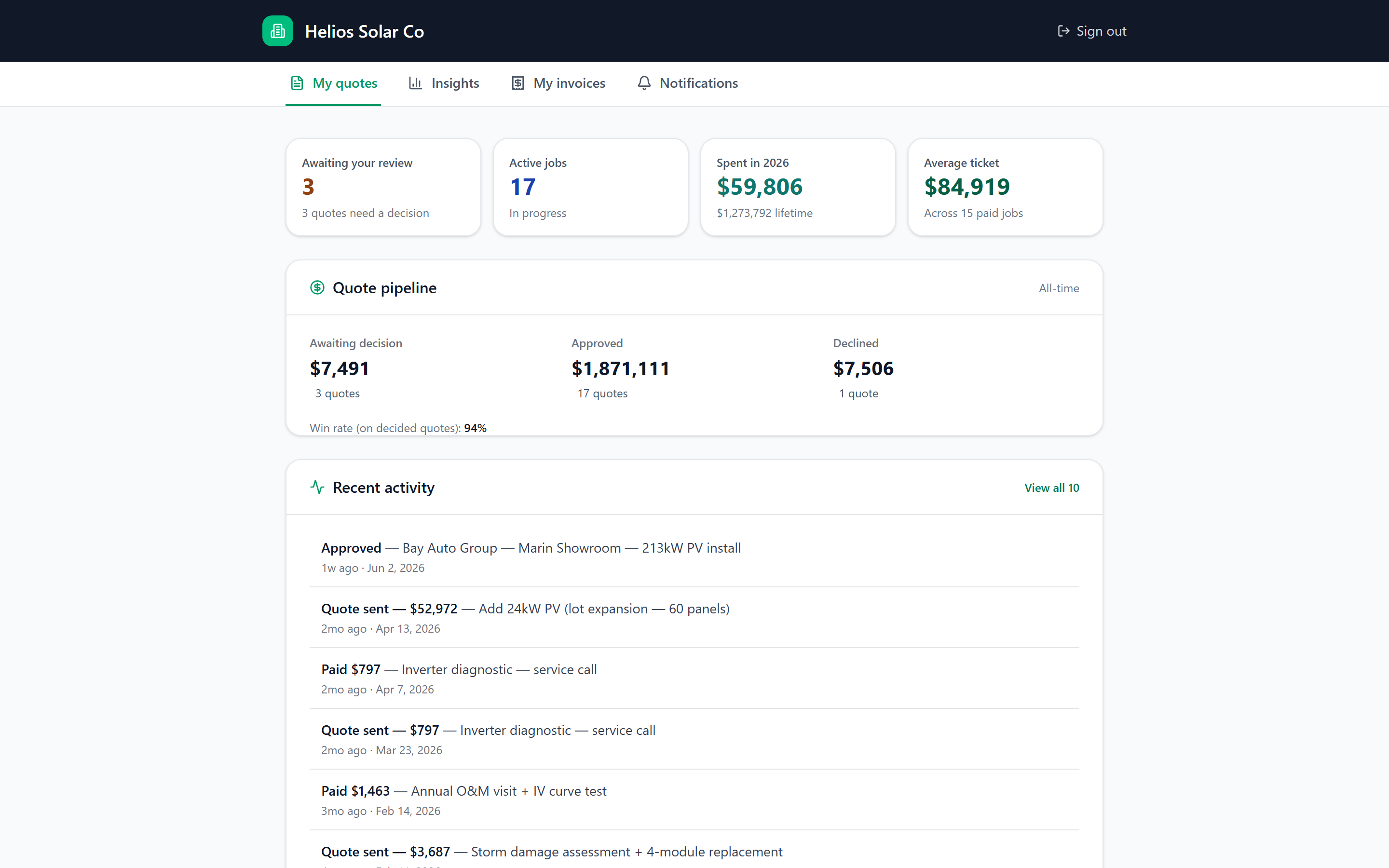
Customers see a portal that looks like your brand. Open quotes awaiting decision. Approved work. Invoices. Recurring service forecast. Spend over time. They sign in with a magic link or password — they never see "ZeroFi".
Inbox dashboard
The portal opens with the three numbers a property manager looks at first thing Monday: how many quotes are waiting on me, how many jobs are running, and how much I've spent year-to-date. Underneath, the same pipeline view your team uses — but filtered to just this customer.
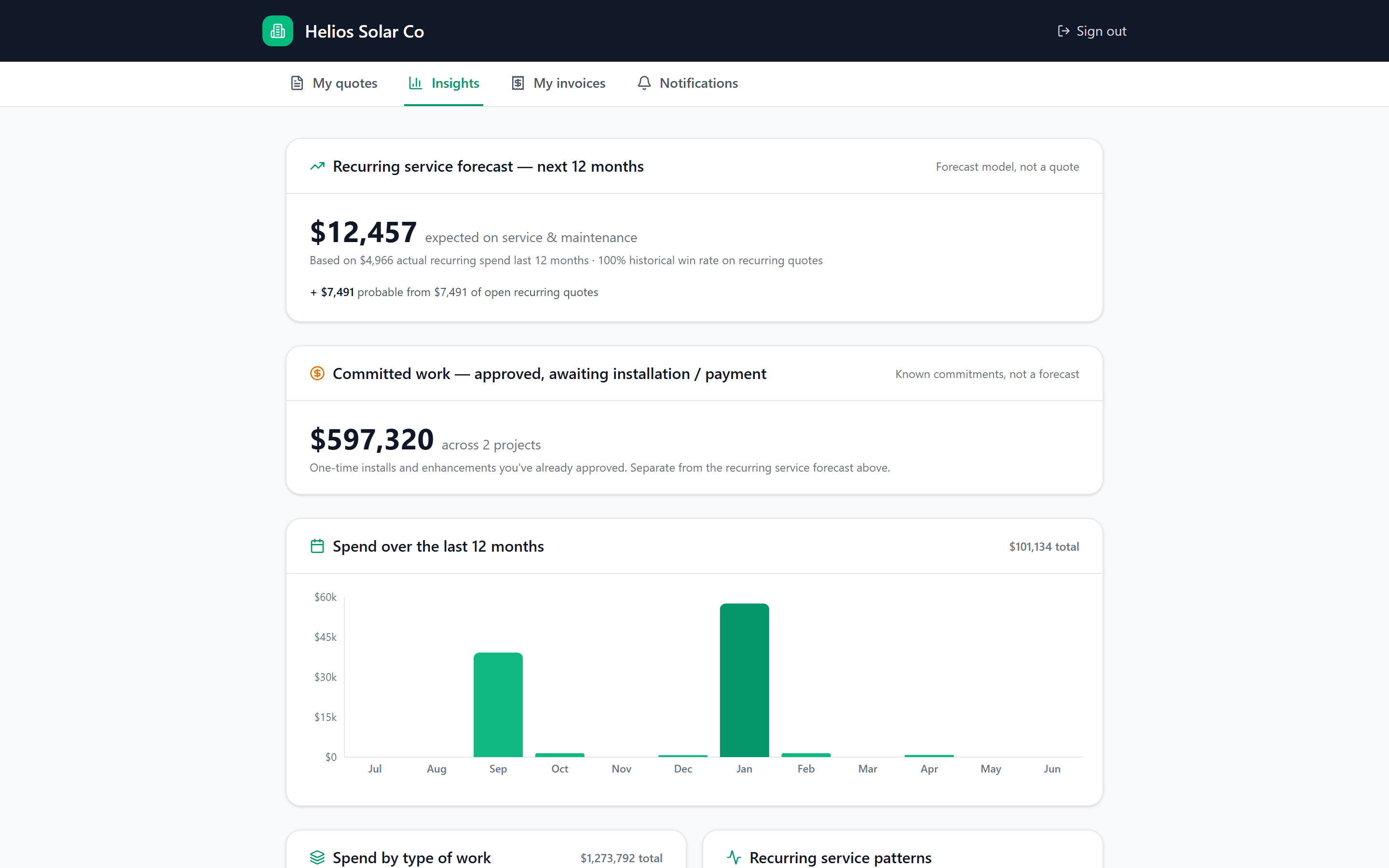
Customer-facing AI insights
A recurring-service forecast, committed work pipeline, spend over the last 12 months, spend by type of work, and any patterns we noticed. It looks like a Stripe statement — clean, sober, defensible — and it makes you look like the strategic partner, not the vendor.
Pay in one tap
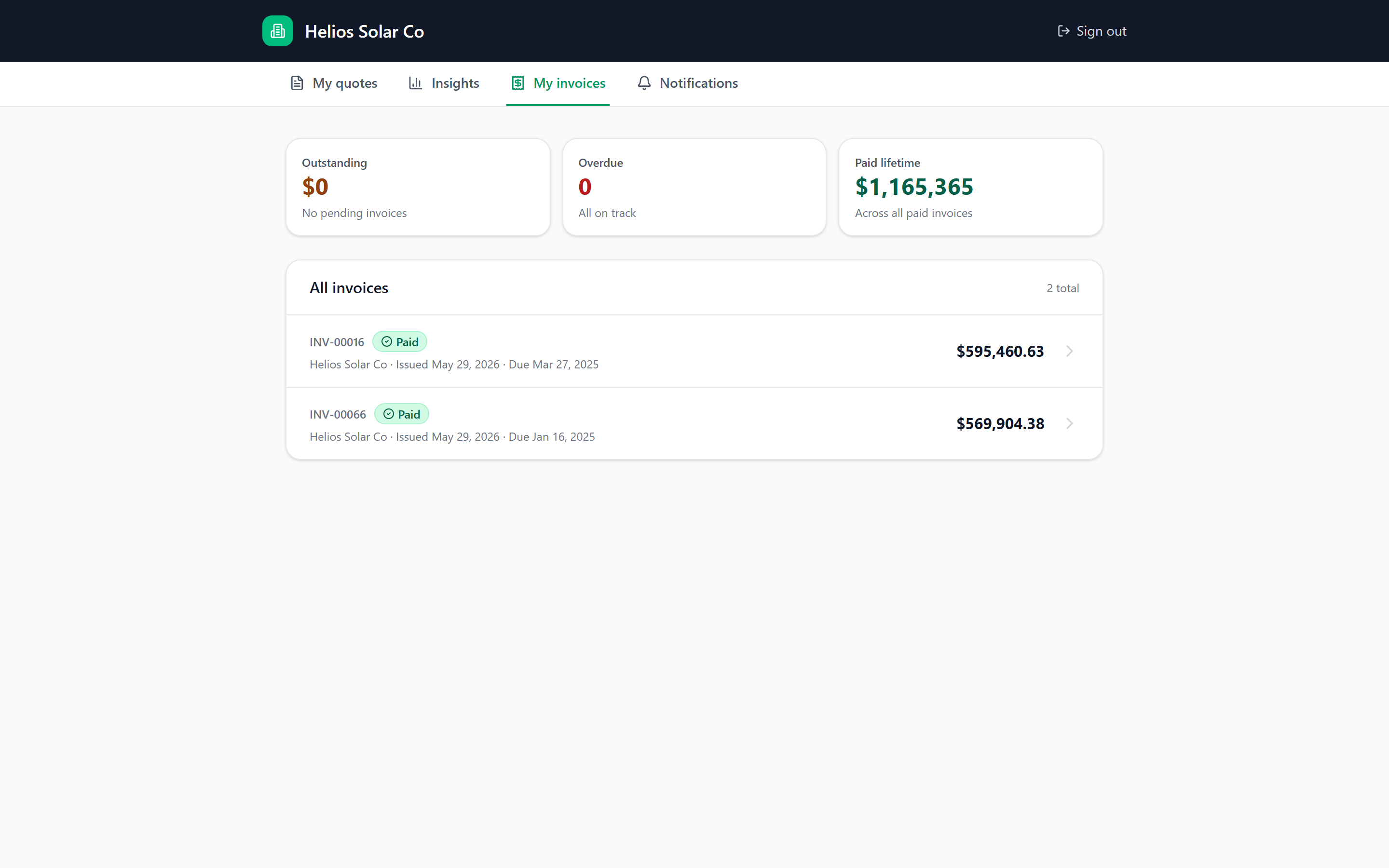
Invoice lands in the portal. Customer taps "Pay now". Card on file gets charged via Stripe. You see the payment in your dashboard before the next coffee. No PDF attachments. No "let me forward this to AP". No three-week net-30 dance.
Sign-in that doesn't suck
Customer enters their email. We send a one-time link. They click it. They're in. No password to forget, no SMS code to fumble.
For customers who don't want to wait for an email or who share a shared inbox. Set on first sign-in. Standard reset flow.
Custom branding
The portal lives at a subdomain you control. Logo and primary color are surfaced through every screen — invoice, proposal, dashboard. No "Powered by ZeroFi" badge on customer-facing surfaces.
What customers see
Bundled with every ZeroFi plan. No per-customer fee. Set it up in minutes.